SupportUkraine
If you experience any problems with the forum (it is not visible, there is no way to post messages, or some functionality does not work), please let us know. If you have problems with registration or you did not receive confirmation letter, let us know and we will activate your account manually.
If you get an "The submitted form was invalid. Try submitting again" error, delete cookies, then try again.
Ad blocker detected: Our website is made possible by displaying online advertisements to our visitors. Please consider supporting us by disabling your ad blocker on our website.
App version: 3.0.111 Stable
Watch model: GTR
Phone model: iPhone 11
OS version: iOS 14.2

Not able to sync watch faces to zepp
Messages that does not meet these requirements will not be considered.
All information is transmitted to the developer, even if you do not receive a response in this thread.
"sometimes it's scary but it's still just you and me” — Leaving Laurel
Thank you, i got it to work twice. But today when i tried to install new watch faces, it wouldn't connect.
I tried restarting the watch, phone. I even tried reinstalling zepp and amazefaces. I'm not sure what the bug is.
We are already working on a new iOS version. Which is about to come out. All bugs will be fixed.
"sometimes it's scary but it's still just you and me” — Leaving Laurel
I have a lot of install watchfaces issues, the previous version was working fine.
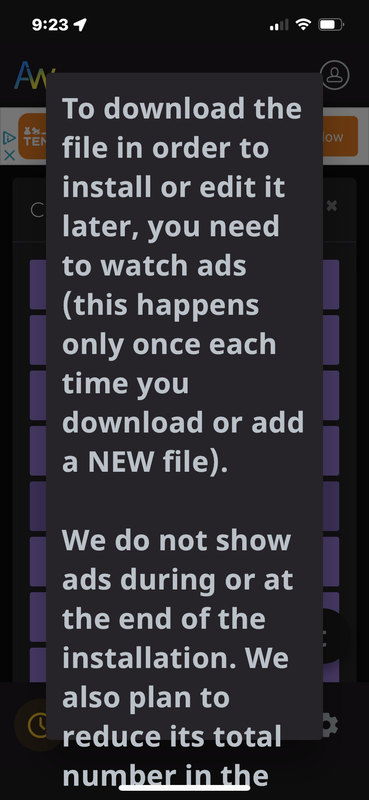
When is open the app i cant install any faces before looking to some ads.
When i try to install it wont react. i need to open the zepp app, close the it, open the amazfitwatchfaces app,
turn off bluetooth turn it back on, and do this a couple of times.
with the previous version i almost never had any issues.
please solve this beacuse with IOS i cant go to the previous version
I have a lot of install watchfaces issues, the previous version was working fine.
When is open the app i cant install any faces before looking to some ads.
When i try to install it wont react. i need to open the zepp app, close the it, open the amazfitwatchfaces app,
turn off bluetooth turn it back on, and do this a couple of times.
with the previous version i almost never had any issues.
please solve this beacuse with IOS i cant go to the previous version
App version (Stable) 4.0.284
Watch model: Amazfit T Rex Pro
Phone model: iPhone 13
OS version: 16.2
The nag message about watching ads freezes (before download) the app on my phone. I can't download or sync any faces or even move beyond that message screen. I have to kill the app and restart. I never had any probs with the old version.
I updated IOS thinking that might help. I tried clicking on the ad in the banner after clearing nag screen by restarting. Nothing works, the app is dead useless like this. Thanx in advance for any ideas. Spoiler
App version (Stable) 4.0.284
Watch model: Amazfit T Rex Pro
Phone model: iPhone 13
OS version: 16.2
The nag message about watching ads freezes (before download) the app on my phone. I can't download or sync any faces or even move beyond that message screen. I have to kill the app and restart. I never had any probs with the old version.
I updated IOS thinking that might help. I tried clicking on the ad in the banner after clearing nag screen by restarting. Nothing works, the app is dead useless like this. Thanx in advance for any ideas. Spoiler
App version: 4.0 (ios)
Watch model: Amazfit GTS 2 mini
Phone model: iPhone XS max
OS version: IOS 16.2
after the app update, I can't install any watch faces whatever I try, no amount of bluetooth restart or app restart or reinstalling is helping me to apply any watchface, always opening the issue page and never downloads
App version: 4.0 (ios)
Watch model: Amazfit GTS 2 mini
Phone model: iPhone XS max
OS version: IOS 16.2
after the app update, I can't install any watch faces whatever I try, no amount of bluetooth restart or app restart or reinstalling is helping me to apply any watchface, always opening the issue page and never downloads
Any update on the iOS fix? I'm still dead in the water with the Ad / nag screen. I haven't replaced my watch face in two weeks. I'm starting to get withdrawal DT's. My hands shake and I can't concentrate looking at the same watch face over and over. Please help... joking / not joking
Any update on the iOS fix? I'm still dead in the water with the Ad / nag screen. I haven't replaced my watch face in two weeks. I'm starting to get withdrawal DT's. My hands shake and I can't concentrate looking at the same watch face over and over. Please help... joking / not joking
App version: 4.1 Stable
Watch model: Verge LITE
Phone model: iPhone XR
OS version: iOS 15.7.3
Same issue here , I can get the watch selected in the app and synced in Zepp , I can select the watchface download it but when I try to upload to watch , the progress bar remains still , no upload progress .
I guess that the issue is with older IOS versions, I have Version 4.1 on a iPad with iOS 16.3 with GTR2 Mini and it's working , also Trex 2 with iphone 13 Pro on ios 16.3.1 , also working !
App version: 4.1 Stable
Watch model: Verge LITE
Phone model: iPhone XR
OS version: iOS 15.7.3
Same issue here , I can get the watch selected in the app and synced in Zepp , I can select the watchface download it but when I try to upload to watch , the progress bar remains still , no upload progress .
I guess that the issue is with older IOS versions, I have Version 4.1 on a iPad with iOS 16.3 with GTR2 Mini and it's working , also Trex 2 with iphone 13 Pro on ios 16.3.1 , also working !
App version: 4.2 Stable
Watch model: Xiaomi Mi Band 6 NFC global version
Phone model: iPhone 13 Pro
OS version: iOS 16.3
Hello , are you aware of this issue, but the sync does not work on IOS for this model. I don't know if was working as I got this band yesterday. Sync from official Zepp Life app works.
I also tried on Android device ( old device Samsung Galaxy S5, Android 6 ) latest Amazfaces app from the Play store . Sync from official Zepp Life app works
App version: 4.2 Stable
Watch model: Xiaomi Mi Band 6 NFC global version
Phone model: iPhone 13 Pro
OS version: iOS 16.3
Hello , are you aware of this issue, but the sync does not work on IOS for this model. I don't know if was working as I got this band yesterday. Sync from official Zepp Life app works.
I also tried on Android device ( old device Samsung Galaxy S5, Android 6 ) latest Amazfaces app from the Play store . Sync from official Zepp Life app works
App version: 4.0.289 Stable
Watch model: GTR mini
Phone model: iPhone 12 pro max
OS version: iOS 16.4.1
can not sync by amazfaces.
but I can sync by zepp app.
iphone I can connect with the zepp app, but amazfaces cannot connect. It cannot be resolved by rebooting or turning off/on Bluetooth. What should I do?
Users browsing this forum: No registered users and 0 guests
Cookie Consent
This website uses cookie or similar technologies, to enhance your browsing experience and provide personalised recommendations. By continuing to use our website, you agree to our Privacy Policy