SupportUkraine
If you experience any problems with the forum (it is not visible, there is no way to post messages, or some functionality does not work), please let us know. If you have problems with registration or you did not receive confirmation letter, let us know and we will activate your account manually.
If you get an "The submitted form was invalid. Try submitting again" error, delete cookies, then try again.
Ad blocker detected: Our website is made possible by displaying online advertisements to our visitors. Please consider supporting us by disabling your ad blocker on our website.
App version: 3.0.111 Stable
Watch model: GTR
Phone model: iPhone 11
OS version: iOS 14.2

Not able to sync watch faces to zepp
Messages that does not meet these requirements will not be considered.
All information is transmitted to the developer, even if you do not receive a response in this thread.
"sometimes it's scary but it's still just you and me” — Leaving Laurel
App version: 3.6.120
Watch model: T REX
Phone model: iPhone 11 Pro Max
OS version: iOS 14.8
I have a T-Rex. I was able to download and update my watch faces without issue. The last time I changed was abt 2 months ago.
I am using Iphone 11 pro max and 2 days ago, I updated the IOS to 14.8.
I tried updating the faces to my watch. It will indicate on my watch "Syncing Watch....." and on my phone it will show the progress. When it reached 100%, my watch will show error to upload face. I tried many times and tried to reinstall Amazfaces app but to no avail. (My Zepp app was still running at the background)
I then tried to use the Zepp app to try and see if I can change the face using their default watch faces and it worked. So it not bluetooth connection issue.
This is resolved with the latest update to 124. Thks developers!
Here is my experience finally how to get watch face uploading to my T-Rex watch again using iOS app on my iPhone7 (since it stopped working three months ago). Thinking it might help some people having same trouble.
1. Make sure Zepp app is not in background. If you found it, kill it. (it causes T-Rex won't show in the device list AmazFaces app for me)
2. Install the latest AmazFaces (3.7.124)
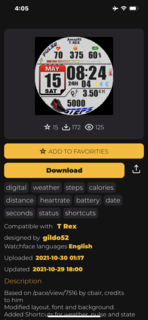
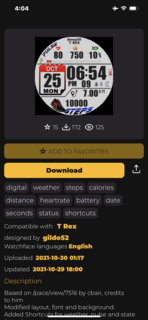
3. Open AmazFaces app, select watch face you like and click download button. You should see T-Rex in display. Click Install button to install.
The reason I got stuck before was that they told us Zepp app needs to in background when using AmazFaces. It turned out to be a show stopper not sure when it started, and I just figured it out after trial and error.
App version :AmazFaces ver.3.7.124
Watch model: t rex
Phone model iPhone 12
OS version iOS 15
Description of your problem: can't discover watch by Amazfaces app
Hi,
it works flawlessly in Zepp app , the problem is only on Amazfaces, I restarted the bluetooth and I stoped the Zepp app running at the background , but still the watch is not visible. may be its fixed by the next update as you said.
try to remove the bipS from the app AmazFaces and reconnect through the search, before that, restart the watch and bluetooth on the phone
frankhj wrote: ↑04 Nov 2021, 22:48
App version (Stable or Beta)AmazFaces ver 3.8.126
Watch model Bip S
Phone model iPhoneSE
OS version 15.1
It continuously says connecting after selecting install but it never connects. I can change faces with the Zepp app.
I tried correcting the problem by doing the steps you recommended and it still would not connect and the "Issues" screen popped up.
I solved the problem by installing the AmazTools app and uploading the face I wanted to Amaztools. The installation through AmazTools worked without any problems.
try to remove the bipS from the app AmazFaces and reconnect through the search, before that, restart the watch and bluetooth on the phone
frankhj wrote: ↑04 Nov 2021, 22:48
App version (Stable or Beta)AmazFaces ver 3.8.126
Watch model Bip S
Phone model iPhoneSE
OS version 15.1
It continuously says connecting after selecting install but it never connects. I can change faces with the Zepp app.
I tried correcting the problem by doing the steps you recommended and it still would not connect and the "Issues" screen popped up.
I solved the problem by installing the AmazTools app and uploading the face I wanted to Amaztools. The installation through AmazTools worked without any problems.
For several versions now I have been unable to login to my AmazfitWatchFaces account, I fill in my Username and Password and I get the spinning wheel but 5....10....15min go by and it never logs in.
App version: 3.9 Stable
Watch model: Mi Band 6
Phone model: iPhone 8
OS version: iOS 15.5
It only allows me to download watchfaces, basically without letting me sync them. This does not happen with my Mi Band 4, which allows me to sync¡them correctly.
This website uses cookie or similar technologies, to enhance your browsing experience and provide personalised recommendations. By continuing to use our website, you agree to our Privacy Policy

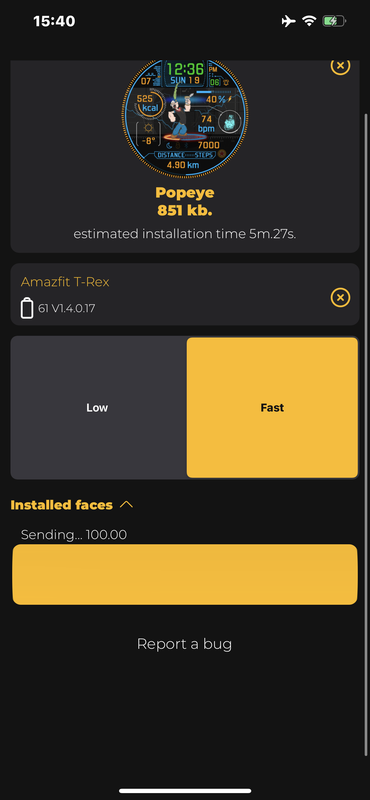
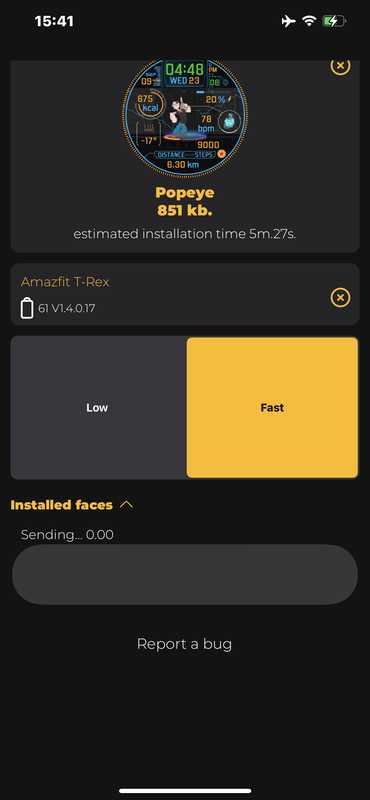


 at the pictures