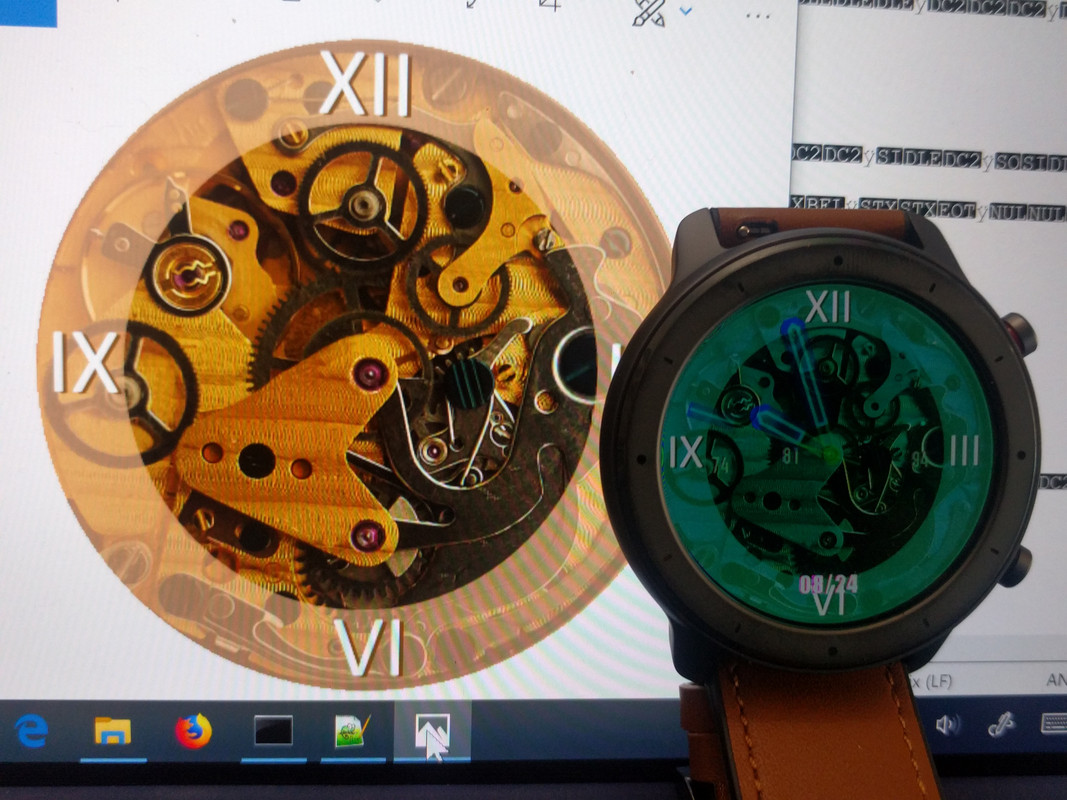
Well, I checked and we still have the color problem.
Thank you for the efforts and time you dedicate to us.
Spoiler

Moderators: Internal error, Watchmens
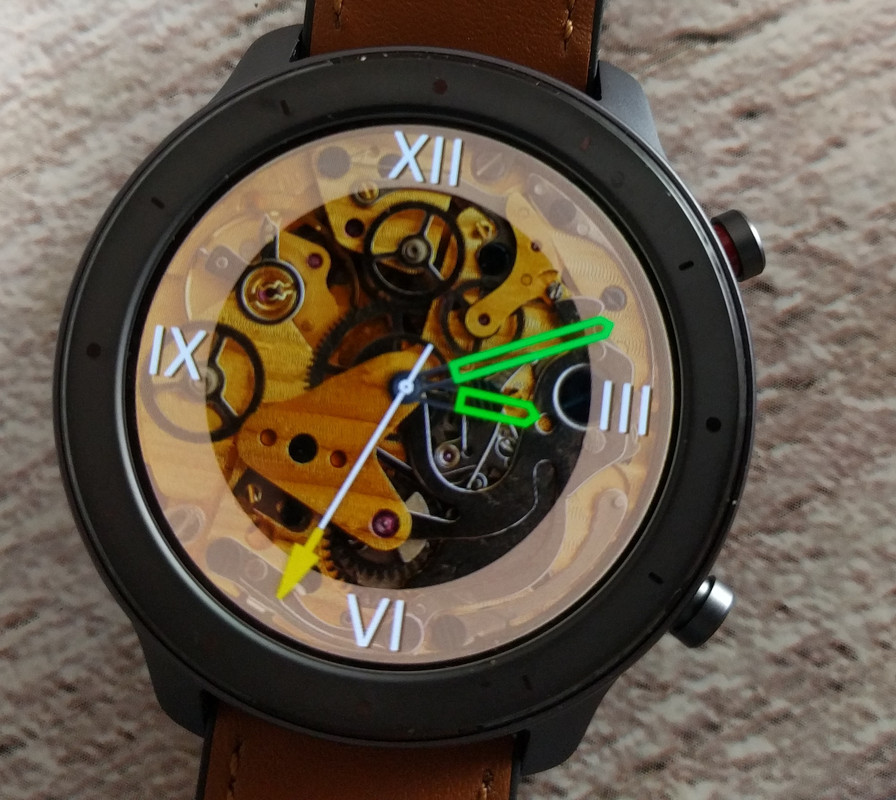
Well, I checked and we still have the color problem.

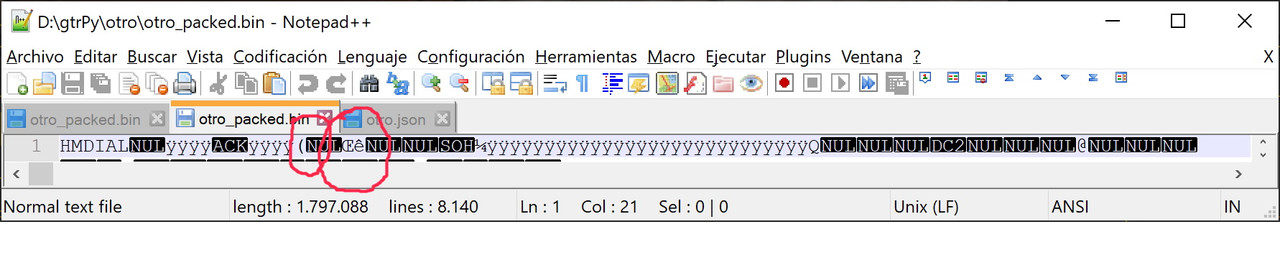
I think they are using another tool to pack/unpack the. bin file... based on pythonmanelto wrote: 24 Aug 2019, 08:22Well, I checked and we still have the color problem.
Thank you for the efforts and time you dedicate to us.
I don't know how other users solve it and it seems they don't really want to share the solution.
Off
Code: Select all
1 : [0x20, 0x00, 0x6e, 0xea, 0x00, 0x00, 0x01, 0xbc],Code: Select all
1 : [0x28, 0x00, 0x8c, 0xea, 0x00, 0x00, 0x01, 0xbc],El notepad++ es bbbkoolgao wrote: 24 Aug 2019, 23:29una pregunta asi de novato como yo ....... como edito el header ese?
Code: Select all
G:\Clock\amazfit_verge_lite_tools-master>py main py 01.bin
  File "main py", line 28, in <module>
    program.Parser.unpackWatchFace(inputFileName)
  File "G:\Clock\amazfit_verge_lite_tools-master\program py", line 123, in unpackWatchFace
    reader = Parser.readWatchFace(inputFileName)
  File "G:\Clock\amazfit_verge_lite_tools-master\program py", line 89, in readWatchFace
    traceback.print_stack()
DoneThx for the recap!manelto wrote: 24 Aug 2019, 20:34Pasos que he seguido para poder editar los ficheros del reloj GTR:
Steps that I have followed to be able to edit the GTR clock files:
...
Kolomnych wrote: 25 Aug 2019, 07:30manelto, good instruction! But i have error while i unpack bin file:
Also included log file. What's wrong?Code: Select all
G:\Clock\amazfit_verge_lite_tools-master>py main py 01.bin
  File "main py", line 28, in <module>
    program.Parser.unpackWatchFace(inputFileName)
  File "G:\Clock\amazfit_verge_lite_tools-master\program py", line 123, in unpackWatchFace
    reader = Parser.readWatchFace(inputFileName)
  File "G:\Clock\amazfit_verge_lite_tools-master\program py", line 89, in readWatchFace
    traceback.print_stack()
Done
P.S. i remove here "." in code "main py" and "program py", because: "You can’t post image, email or url links that are external to this domain. Please remove main py"
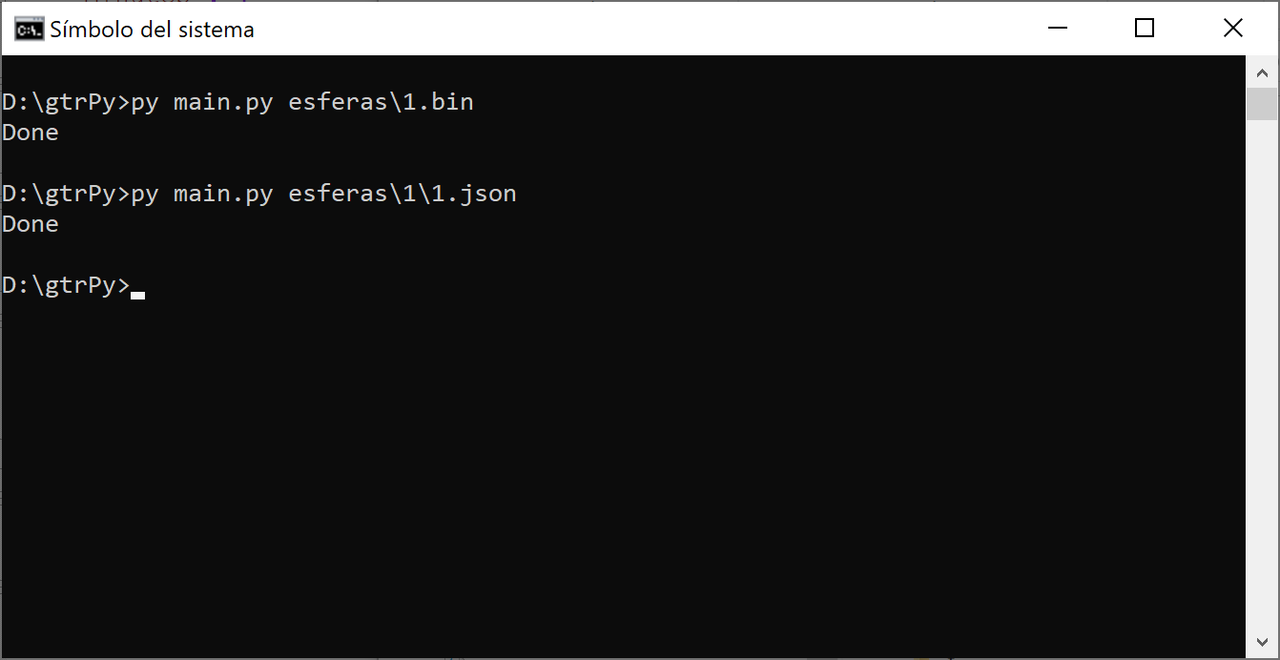
The author of the program is afwafwafw. And the original program is to work directly with the verge lite. So, if you have that watch you don't have to change anything.Bhoken wrote: 25 Aug 2019, 10:43@maneltoThank you ! A couple of questions. Why you modify the header? Works also for verge lite? I use image that I create with illustrator in the same resolution of a watchface that I have use as a model, it works fine?
Thanks!w0mbat wrote: 25 Aug 2019, 08:21Thx for the recap!manelto wrote: 24 Aug 2019, 20:34Pasos que he seguido para poder editar los ficheros del reloj GTR:
Steps that I have followed to be able to edit the GTR clock files:
...
In the previewGenerator python file (watchFaceParser directory), change the size to 454 also.

Code: Select all
temp = Image.new('RGBA', (360, 360))
temp.paste(bitmap, (180 - x, 180 - y), bitmap)Code: Select all
temp = Image.new('RGBA', (454, 454))
temp.paste(bitmap, (227 - x, 227 - y), bitmap)I can't see the imagePavlinBecks wrote: 25 Aug 2019, 16:41Please help me, when using Python tool from GitHub, I always get this error. What am I doing wrong? In Log I found a bug about transparency but I don't know how to fix it. Thank you.

una pregunta esto para que vale? hay algo para que se vea bien el gif que crea? ya q no me sale el reloj enteromanelto wrote: 25 Aug 2019, 16:45Another change (remember : these changes are only for GTR):
for...Code: Select all
temp = Image.new('RGBA', (360, 360))
temp.paste(bitmap, (180 - x, 180 - y), bitmap)
These changes are in ...\watchFaceParser\models\elements\common\imageElement.pyCode: Select all
temp = Image.new('RGBA', (454, 454))
temp.paste(bitmap, (227 - x, 227 - y), bitmap)
Sorry, I can't insertmanelto wrote: 25 Aug 2019, 16:47I can't see the imagePavlinBecks wrote: 25 Aug 2019, 16:41Please help me, when using Python tool from GitHub, I always get this error. What am I doing wrong? In Log I found a bug about transparency but I don't know how to fix it. Thank you.
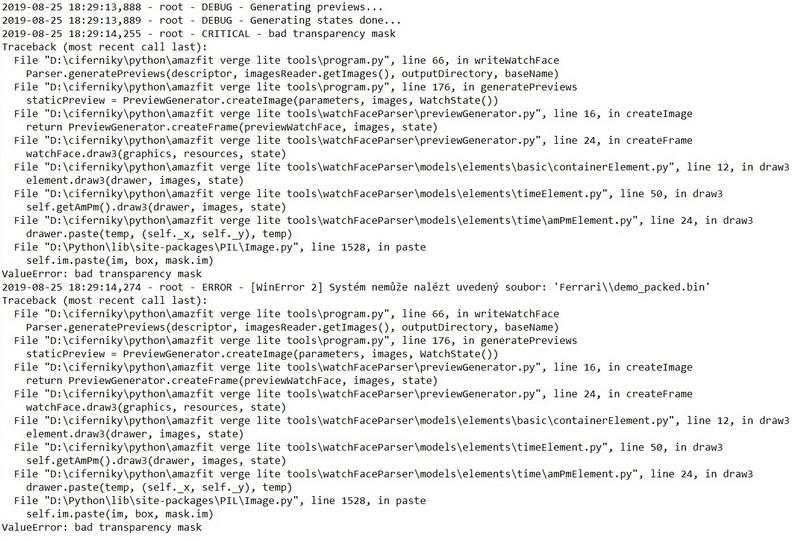
Una cosa es el gif que se crea a modo de previsualización y otra el bin que instalas en el reloj.koolgao wrote: 25 Aug 2019, 17:54una pregunta esto para que vale? hay algo para que se vea bien el gif que crea? ya q no me sale el reloj enteromanelto wrote: 25 Aug 2019, 16:45Another change (remember : these changes are only for GTR):
for...Code: Select all
temp = Image.new('RGBA', (360, 360))
temp.paste(bitmap, (180 - x, 180 - y), bitmap)
These changes are in ...\watchFaceParser\models\elements\common\imageElement.pyCode: Select all
temp = Image.new('RGBA', (454, 454))
temp.paste(bitmap, (227 - x, 227 - y), bitmap)
 vermillion_20190919_packed-17820-563021d504.zip
[mention]glenan[/mention] if you click edit or open .cmd file in text editor you will know that it call watchface.exe to process it. cmd just command set like batch file.glenan wrote: 25 Aug 2019, 10:20Hi
I downloaded and used AmazTool All 0.1.0.11.zip with an Amazfit GTR
unpack and packed (after adding a logo on one existing watchface)
I installed new bin file with Notify and Fitness for Amazfit
It worked but with problems of colors as said above.
Thanks a lot for your job and I hope you will solved it.
[EDIT] I don't know what is the use of Watchface.exe because I only used pack.cmd and repack.cmd
Y que tengo que hacer para lo del gif este ultimo que has puesto aquí ya lo tengo hecho pero el gif we sigue saliendo medio relojmanelto wrote: 25 Aug 2019, 20:45Una cosa es el gif que se crea a modo de previsualización y otra el bin que instalas en el reloj.koolgao wrote: 25 Aug 2019, 17:54una pregunta esto para que vale? hay algo para que se vea bien el gif que crea? ya q no me sale el reloj enteromanelto wrote: 25 Aug 2019, 16:45Another change (remember : these changes are only for GTR):
for...Code: Select all
temp = Image.new('RGBA', (360, 360))
temp.paste(bitmap, (180 - x, 180 - y), bitmap)
These changes are in ...\watchFaceParser\models\elements\common\imageElement.pyCode: Select all
temp = Image.new('RGBA', (454, 454))
temp.paste(bitmap, (227 - x, 227 - y), bitmap)
El bin funciona correctamente sin necesidad de este cambio ni del que ha descrito w0mba más arriba.
Pero para que el gif y las otras imágenes que se generan a modo de previews estén completos necesitas el cambio descrito por w0mbat. Y para centrar las agujas de los relojes y otras imágenes en la esfera tienes que hacer el cambio que he modificado.
Users browsing this forum: No registered users and 1 guest