Page 1 of 1

Watch Face removal.

Posted: 08 Mar 2026, 03:08
by oldman321
Amazfit active 2 round.
I've downloaded and installed a few watch faces but now I ould like to remove one of them but can't find a way to do this, the downloaded faces do not show up in the Amazfit app in my watch faces section. How do I remove downloaded watch faces?
Thanks.
Re: Watch Face removal.

Posted: 08 Mar 2026, 05:21
by asoo
oldman321 wrote: 08 Mar 2026, 03:08
Amazfit active 2 round.
I've downloaded and installed a few watch faces but now I ould like to remove one of them but can't find a way to do this, the downloaded faces do not show up in the Amazfit app in my watch faces section. How do I remove downloaded watch faces?
Thanks.
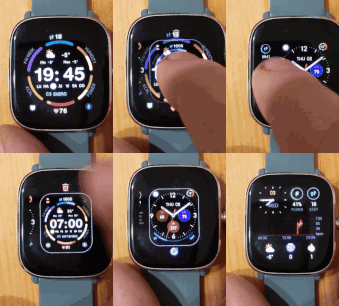
I think the method for deleting unwanted watch faces on devices running ZeppOS is the same. Here's how to delete a watch face on Bip6:
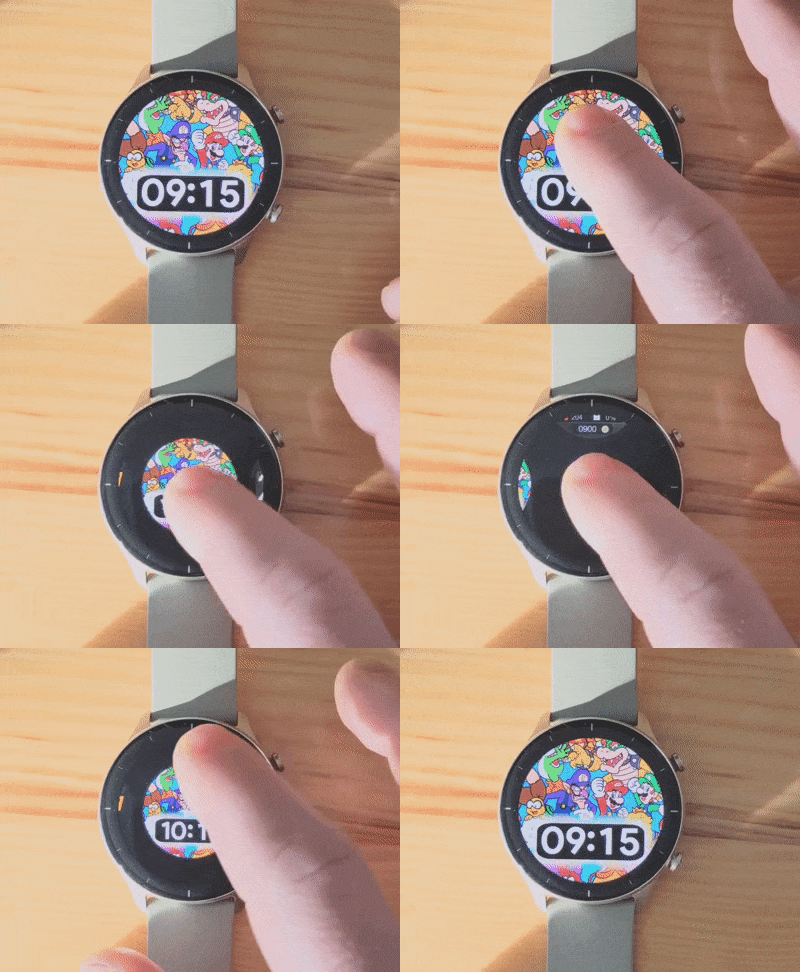
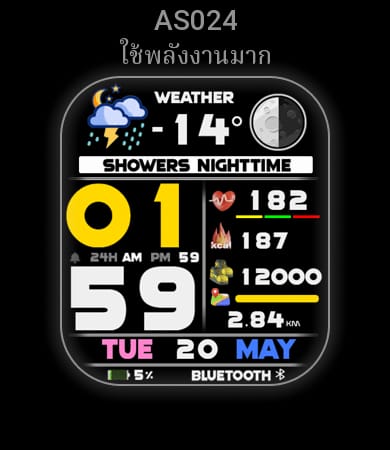
1. Press and hold the center of the screen for about 2 seconds to access the watch face selection.
image
Image
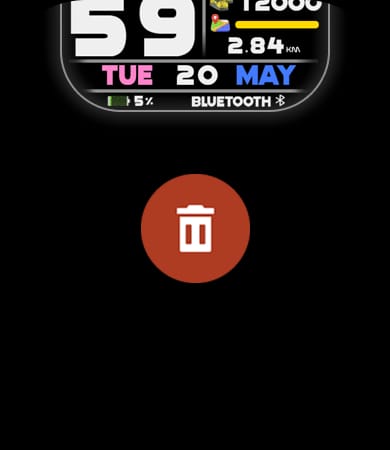
2. Swipe up. You will see a trash can icon. Tap the trash can icon to delete that watch face.
image
Image

Re: Watch Face removal.

Posted: 08 Mar 2026, 10:10
by GIK-Team
Spoiler
Image

Image