Page 1 of 1
How do I upload my watch face made in Zepp Watchface?
Posted: 06 Jun 2025, 23:02
by aimhelix
Hi all, new member here trying to upload a watch face. I've searched the forum with some answers to the questions I have but the info seems to be out of date since the file structures discussed are no longer the same.
Basically, I made a full watch face for the Amazefit Trex 3 using Zepp Watchface Maker. When exporting the package file, I get a ZAB file. Inside the ZAB file are now 2 ZPK files:
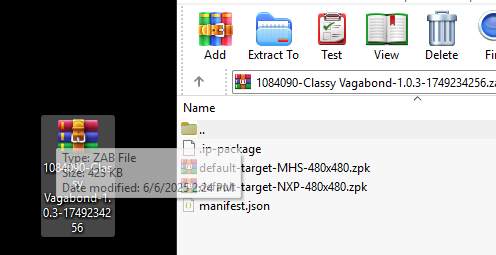
Inside those *MHS* and *NXP* zpk files are device.zip files which I was using to upload to this site but when scanning the QR code it doesn't work. Could someone kindly point me towards how to this correctly? Thank you!
Re: How do I upload my watch face made in Zepp Watchface?
Posted: 07 Jun 2025, 02:32
by asoo
From my test, the device.zip file from Zepp "watchface maker"
can be used to generate QR code normally and can be linked to my Balance (the file from "Zepp Watchface maker" in Balnace is the same as Trex3)
So I recommend you to attach the file that has the problem
so that people who want to help you can check it.
Re: How do I upload my watch face made in Zepp Watchface?
Posted: 07 Jun 2025, 05:20
by SashaCX75
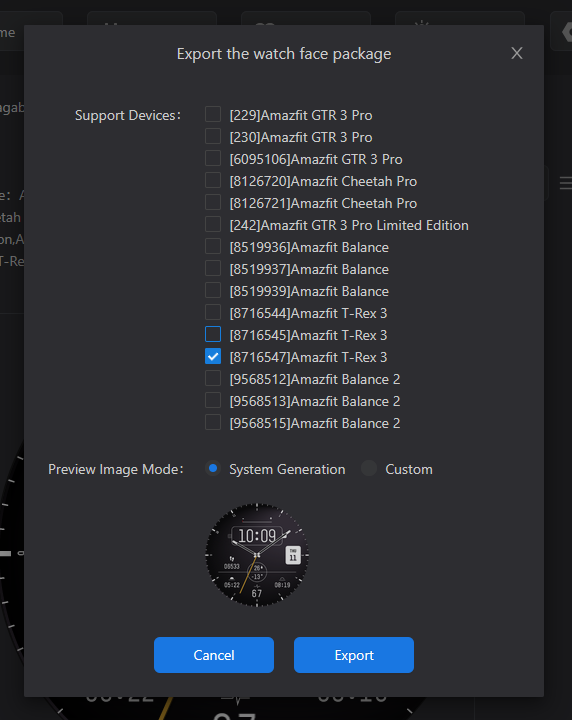
When exporting from Zepp Watchface Maker, switch off all models except yours. Then there will be only one zpk file inside the resulting file. In this zpk file take device.zip, this will be your watch face. If you upload it to this site and install it on the watch using qr code, refresh the page before creating the qr code. qr code working time is short, so it should be scanned immediately.
Re: How do I upload my watch face made in Zepp Watchface?
Posted: 07 Jun 2025, 08:01
by aimhelix
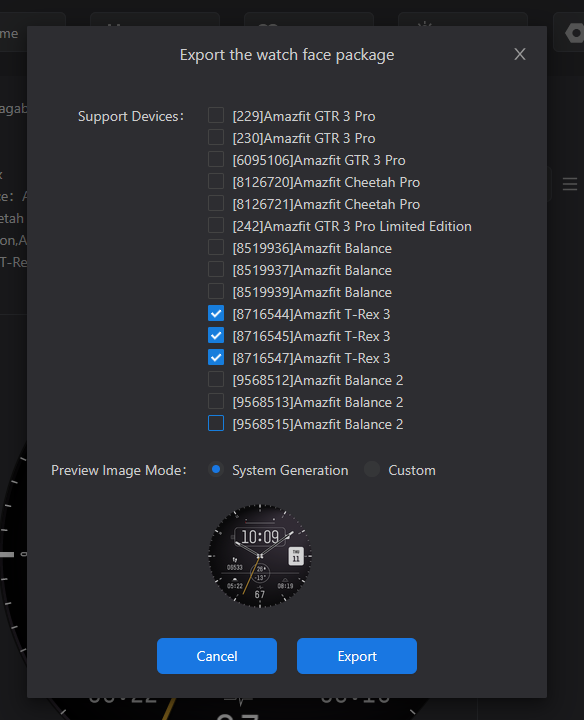
Thanks for the replys guys. Unfortunately I couldn't get it to work! I tried exporting the ZAB file checking only the T-Rex 3 models (there were 3). I tried an export with all 3 T-rex 3 options, and one with just the last file. I grabbed the device.zip, renamed and uploaded it to the site. It generates the QR code, but everytime I scan it with the app, it says installing, and then just stops. Switches the tab from Watchface to Mini Program but never loads the watch face

.
Here's the ZAB file I was uploading with just the T-Rex 3's selected. (doesn't work for me on this site.)
https://www.dropbox.com/scl/fi/baa2u1fx ... thlzk&dl=0
Here's the ZAB export from Zepp I use to generate the QR in Zepp to upload to my watch which works just fine:
https://www.dropbox.com/scl/fi/12wx2ne8 ... gj1of&dl=0
Re: How do I upload my watch face made in Zepp Watchface?
Posted: 08 Jun 2025, 05:05
by asoo
I am not sure about your problem. I have use your device.zip for uploaded to web in trex area and gen QR, the QR can be installed on Balalnce and Bip6 without any problem.
I read your message and am not sure if you upload .zap or .zip.
If you want upload to web, you must use device.zip only.
Note: The QR code you generate will have a limited time period, so once you generate it, You need to install it immediately.
Re: How do I upload my watch face made in Zepp Watchface?
Posted: 08 Jun 2025, 06:56
by aimhelix
Quck update: @SashaCX75 had the right answer all along and I was an idiot. I had just turned on pw protection on my watch and was trying to do it off my wrist lol. Just updating this post that the original issue I had was simply fixed as Sasha had suggested:
- on export from Zepp Watch Maker, select only the Trex 3 devices (there were 3).
- unzip the zab, grab the zpk inside.
- unzip the zpk, grab device.zip inside (there should now be just 1)
- rename zip to upload to site.
Thank you everyone for your help. I look forward to contributing more faces to this site!