GTR 2e update error
Posted: 01 Nov 2023, 14:25
Hello!
Maybe someone knows how to solve this problem:
Amazfit GTR 2e v.1.7.3.1 + OnePlus 8pro (Android 13) + Zepp 8.1.5-play
1. The watch stopped responding.
I pressed the power button, a reboot occurred and the watch displayed a QR code on the screen.
2. Pair in the Zepp application. After, the application immediately started downloading the update, version 1.7.3.1
3. The update transfer reaches the end, but when the installation begins, it ends with the error: "Update failed. Please make sure the watch is connected to the App."
It happens anytime of updating, but most often at the end.
4. Every reconnection in Zepp - an update immediately begins, which ends with an error.
5. In Zepp I can "unplug" the device -> QR code again.
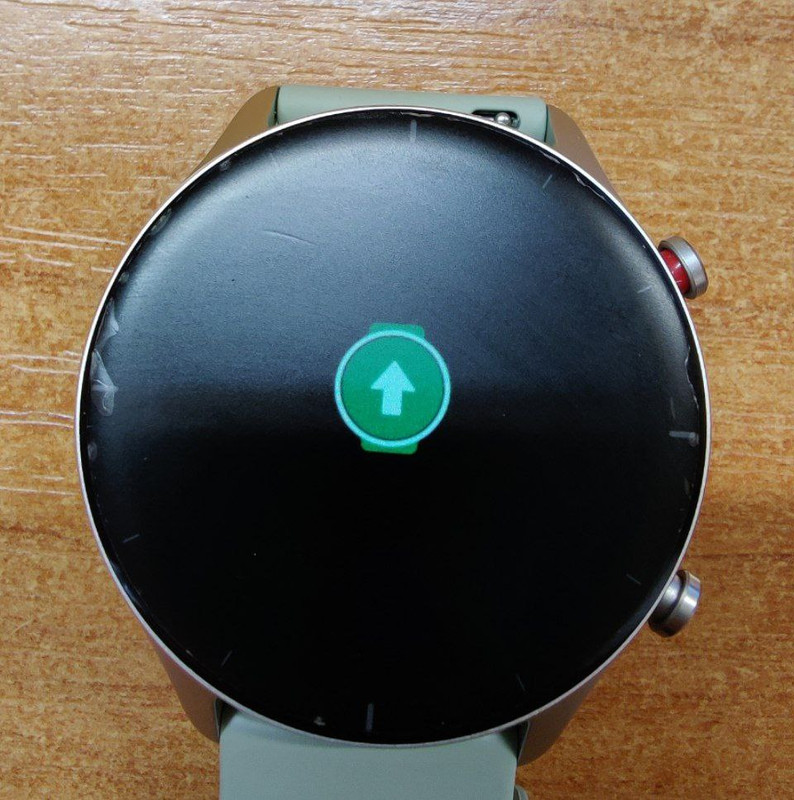
The photo (attached) shows what the watch looks like. They don’t go further than this “arrow”. After a reboot, it returns to the same “arrow”. Also, I note that when synchronization occurs in Zepp, the watch responds with vibration to messages.
I try:
1. change account
2. change phone
3. update Zepp to 8.2.1-play
Maybe someone knows how to solve this problem:
Amazfit GTR 2e v.1.7.3.1 + OnePlus 8pro (Android 13) + Zepp 8.1.5-play
1. The watch stopped responding.
I pressed the power button, a reboot occurred and the watch displayed a QR code on the screen.
2. Pair in the Zepp application. After, the application immediately started downloading the update, version 1.7.3.1
3. The update transfer reaches the end, but when the installation begins, it ends with the error: "Update failed. Please make sure the watch is connected to the App."
It happens anytime of updating, but most often at the end.
4. Every reconnection in Zepp - an update immediately begins, which ends with an error.
5. In Zepp I can "unplug" the device -> QR code again.
The photo (attached) shows what the watch looks like. They don’t go further than this “arrow”. After a reboot, it returns to the same “arrow”. Also, I note that when synchronization occurs in Zepp, the watch responds with vibration to messages.
I try:
1. change account
2. change phone
3. update Zepp to 8.2.1-play
Spoiler