Trying to save the edited watch face as a bin file
Posted: 05 Jan 2022, 06:37
Hello,
Please let me know how to save my edited watch face as a bin file.
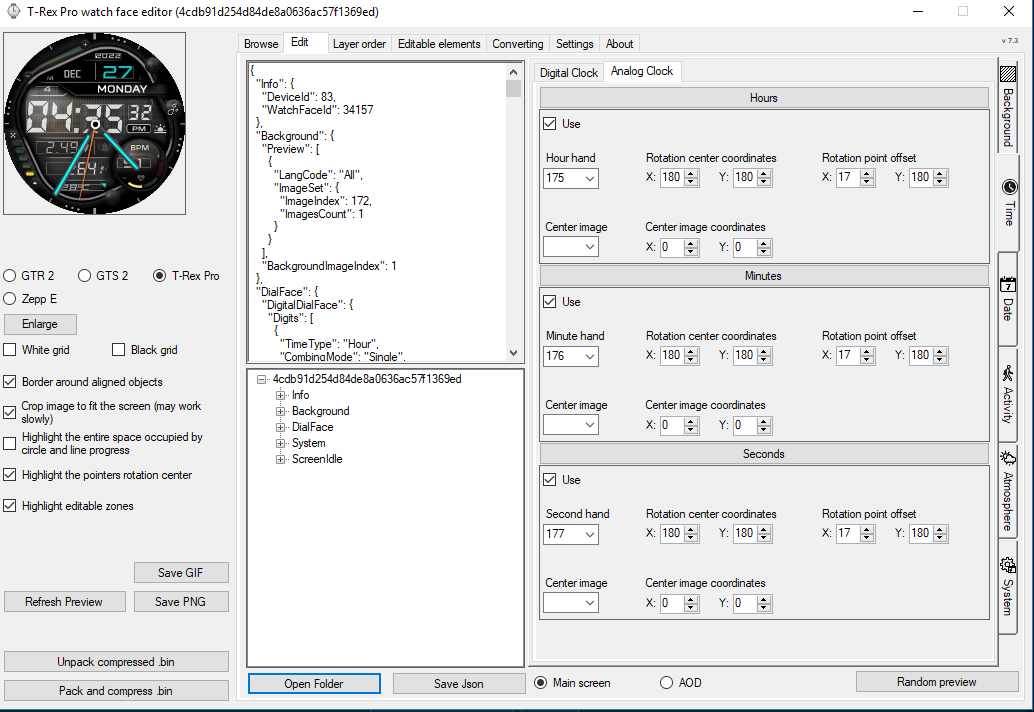
I opened an existing watch face using "unpack compressed bin", I was able to add watch hand images and add those watch hands over the digital face, via the edit tab, analog clock tab, and saved it as a new json file.
But when I try to click "pack and compress bin", then browse to the new file I json file I saved, I wind up with a packed text document.
I do not get a bin file. I'm doing something wrong or just can't find the "save or save as bin" option.
Thank you,
Anthony
Please let me know how to save my edited watch face as a bin file.
I opened an existing watch face using "unpack compressed bin", I was able to add watch hand images and add those watch hands over the digital face, via the edit tab, analog clock tab, and saved it as a new json file.
But when I try to click "pack and compress bin", then browse to the new file I json file I saved, I wind up with a packed text document.
I do not get a bin file. I'm doing something wrong or just can't find the "save or save as bin" option.
Thank you,
Anthony