WF Background issue if the watch isn't connected via bluetooth
Inviato: 05 giu 2020, 19:44
Hi,
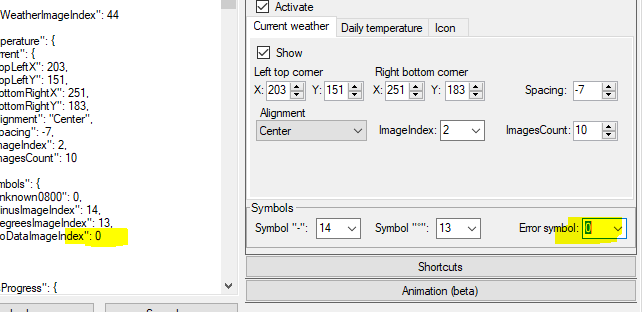
i recently figured out a problem at my created wf. If the watch isn't connected via bluetooth for a while, the background "0000.png" of my watchface is displayed two times. (may be caused by the weather function?) First in correct position, and the second time with top left corner at the center of the clock. It look likes the second background overlayed the first one.
After reconnecting with bluetooth the watchface show up corretly.
does anyone know this problem or does someone have a solution?
I use GTR_WatchFace editor for Windows by SashaCX75 for creation the wf.
Thx.
link to the wf:
https://amazfitwatchfaces.com/gtr/view/6173
i recently figured out a problem at my created wf. If the watch isn't connected via bluetooth for a while, the background "0000.png" of my watchface is displayed two times. (may be caused by the weather function?) First in correct position, and the second time with top left corner at the center of the clock. It look likes the second background overlayed the first one.
After reconnecting with bluetooth the watchface show up corretly.
does anyone know this problem or does someone have a solution?
I use GTR_WatchFace editor for Windows by SashaCX75 for creation the wf.
Thx.
link to the wf:
https://amazfitwatchfaces.com/gtr/view/6173