[4.0] XMI Watch - Mi Band 4 | 5 | 6 (Editor + Converter)
Posted: 25 Nov 2020, 14:16
lvpokka thanks a lot for *.bin support
My WatchFaces
XMI Watch
Download
Version: 4.0 Release (auto-update)
Platform: Windows (.NET Core 3.1)
Developer: jefoce
Official site: xmi
Documentation: docs
If system notify about installation .NET Core - download x86 version
Description
Design program for Mi Band watchfaces
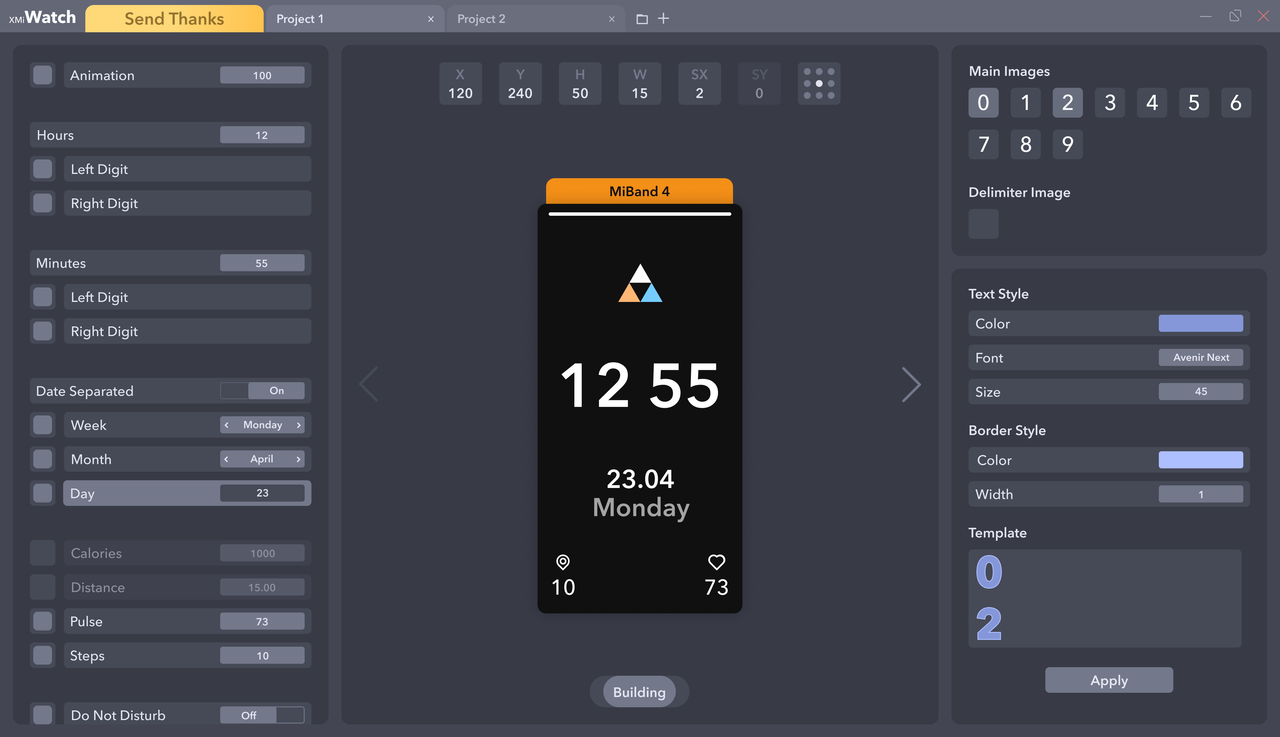
Watch series
Elements support
Controls
Previewer - render on change
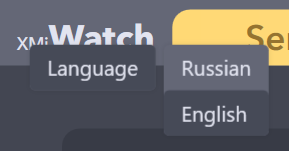
Languages
My WatchFaces
XMI Watch
Download
Version: 4.0 Release (auto-update)
Platform: Windows (.NET Core 3.1)
Developer: jefoce
Official site: xmi
Documentation: docs
✅ Updates Plan
🟡 4.x.0.0
New:
- Saving format for app *.xmi (contains styles and all series)
🟢 4.0.0.0
New:
- Mi Band 6 support (only json open for now)
- Add background option in the left side
- Converting engine
🟢 3.2.0.1
New:
- Styled messages
🟢 3.2.0.0
New:
- GIF support with speed
🟢 3.1.0.3
New:
- Split creating and opening project
🟢 3.1.0.2
Fix:
- Battery status (showing on Mi Band 4)
🟢 3.1.0.1
New:
- Margin for project buttons
🟢 3.1.0.0
New:
- Styling
- Image DPI correction
- Previewer adaptation
🟢 3.0.0.0 - Important
New:
- Global core (changed more than 50% code)
- Update preview images on import/paste
- Previewer adaptation
- Date Inline → Date Separate
- Image managing system
- Smart converting system (save positions for elements and resize background by screen size)
- Open
- Convert
- Build
- Weeks saving
🟢 2.1.0.0
New:
- Screen adaptation for 1366x768
- Series converting (Mi Band 4/5)
- Images scrolling
- Distance suffix for Mi Band 5
🟢 2.0.0.0
New:
- Mi Band 5 support
- Optimized speed open/build for Bin and Json formats
- Preview image after build for Bin format
- Tooltip with full name on project button mouse hover
- Saving system
- Image compressing
- Closing last project
- Temp clearing
🟢 1.0.0.3
New:
- Simplify weekdays edit
- Images preview changing, when select other project
🟢 1.0.0.2
New:
- Optimizing saving system
- Notify for closing projects, app
- Localization
🟢 1.0.0.1
Fix:
- Opening file with spacing name. (example: "xmi watch.exe")
⚠️ Running Problem
If system notify about installation .NET Core - download x86 version
Microsoft wrote:Full support for Windows 10 (1607, 1709+)
Additional dependencies are required if you're installing the .NET Core:Install the following:
- Windows Vista (SP2)
- Windows 7 (SP1)
- Windows 8.1
Description
Design program for Mi Band watchfaces
- You can easily open, edit and build:
- Json - folder must contains 0000.png → screen sized
- Bin
- On / off watch elements (even not include)
- Copy or import images from opened projects or files
- Watchfaces converting
- Text styling
- Dev: Presets
🖼️ Screenshots
Watch series
- Mi Band 4
- Mi Band 5
- Mi Band 6
Elements support
- Time
- Hours
- Minutes
- Date
- Inline / Separate
- Week
- Month
- Day
- Activity
- Calories
- Distance
- Pulse
- Steps
- Widgets
- Do Not Disturb
- Bluetooth
- Lock
- Battery
- Other
- Animation
- Background
Controls
- Change value - ↑↓ keys
- Move - WASD or ↑←↓→ keys and mouse
- Unselect - Escape key
- Unvisible - Delete key
- Selecting in Previewer or Elements bar
Previewer - render on change
- Previewer limits
- H, Y (+-Screen height)
- W, X (+-Screen width)
- SX (+-20)
- Render limits
- Activity (99999)
- Real time
- Real date
- Battery (100)
Languages
- Russian
- English (default)

