AmazFit WatchFace editor for Windows by SashaCX75
Posted: 17 Dec 2019, 17:06
Graphics editor for working with dials Amazfit
The editor supports watch faces from GTR 47, GTR 42, GTS, T-Rex, Verge Lite.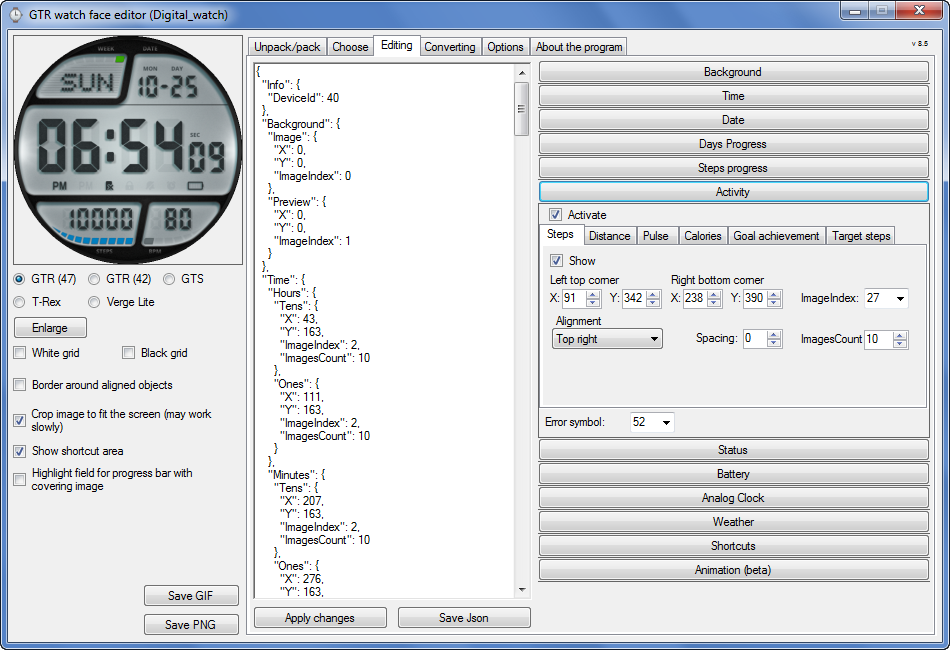 Note: the path to the program should not contain spaces, it is advisable to unpack it to the root of the disk.
Not all dials can be unpacked.
You can reduce the size of the bin file only by reducing the size of the images (height * width) or by reducing the number of images.
The drawing order of elements cannot be changed. The only exception is if you move the second hand from the center, it will be drawn under the hour and minute hands.
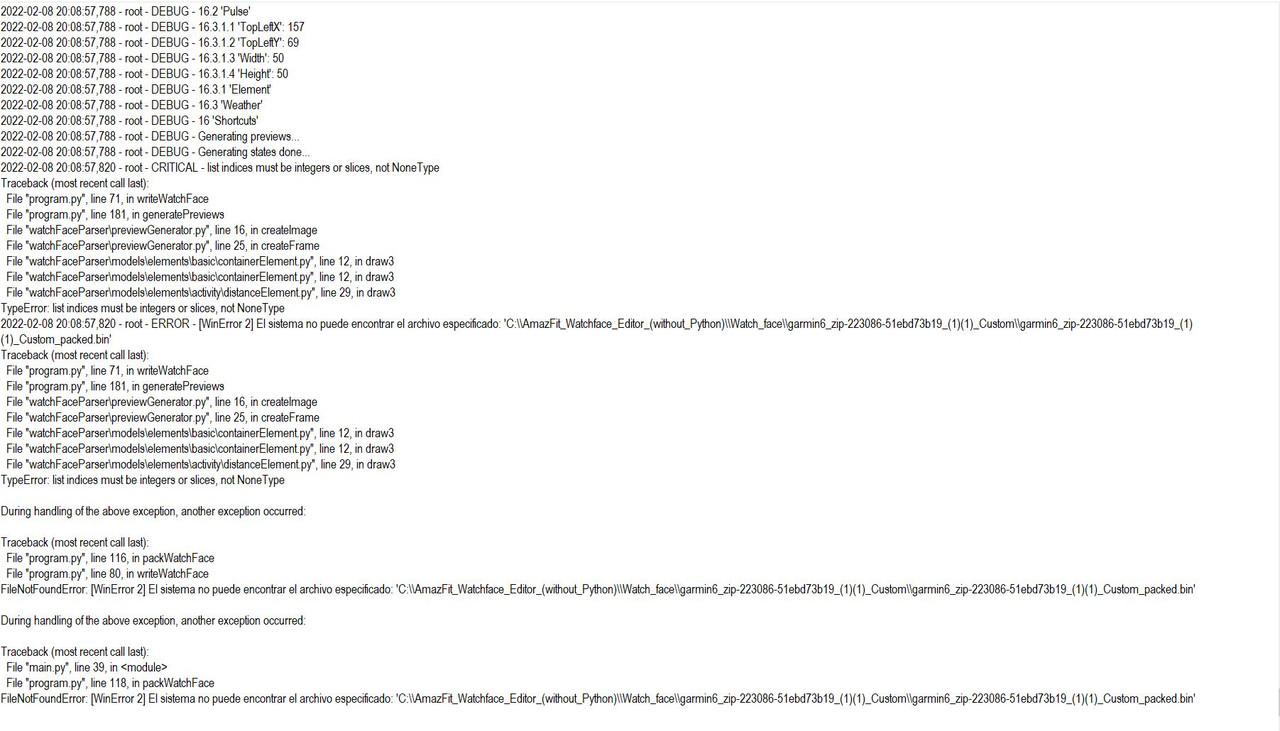
If the .bin file is not created, then you need to look for errors in the .log file. Most often this happens when images have the wrong format.
If the bin file is not created, and the log file contains the entry “bad transparency mask”, this means that the format of one or more images is incorrect (most often it occurs if you save the image in Photoshop without transparent pixels). You can fix it as follows:
- in Photoshop - add at least one transparent pixel
- in GIMP exported to PNG 16 bit RGBA
- in XnView - Image -> 32 bits
Version 10.0
If you want to supplement the missing translation, write to the PM.
Beta version of the editor with support for Amazfit X
AmazFit WatchFace editor 2 with support for GTR 2, GTS 2, T-Rex Pro
My editor doesn't work with GTR2 (GTS2) watch faces and I have no plans to add support for these models anytime soon. I don't know any other programs that can work with these dials. I have no information if anyone is working in this direction.
Because I bought a GTR 2e, the program will no longer be updated.
Donate to the author
PayPal: [email protected].
The editor supports watch faces from GTR 47, GTR 42, GTS, T-Rex, Verge Lite.
Screenshot
Not all dials can be unpacked.
You can reduce the size of the bin file only by reducing the size of the images (height * width) or by reducing the number of images.
The drawing order of elements cannot be changed. The only exception is if you move the second hand from the center, it will be drawn under the hour and minute hands.
If the .bin file is not created, then you need to look for errors in the .log file. Most often this happens when images have the wrong format.
If the bin file is not created, and the log file contains the entry “bad transparency mask”, this means that the format of one or more images is incorrect (most often it occurs if you save the image in Photoshop without transparent pixels). You can fix it as follows:
- in Photoshop - add at least one transparent pixel
- in GIMP exported to PNG 16 bit RGBA
- in XnView - Image -> 32 bits
Version 10.0
List of changes
Added the ability to display the distance traveled in kilometers and miles.
Updated translation.
Updated translation.
v 9.0
Fixed display of date if pictures have different sizes (often pictures for "1" are narrower than others)
Added new warnings about possible errors.
Fixed the order of displaying items.
Added a button to refresh the preview image.
Fixed bugs when converting watch faces.
Updated Chinese and Italian translations.
Added new warnings about possible errors.
Fixed the order of displaying items.
Added a button to refresh the preview image.
Fixed bugs when converting watch faces.
Updated Chinese and Italian translations.
v 8.5
Fixed work with Verge Lite
v 8.4
Fixed Italian translation.
Added Chinese manual.
Added Chinese manual.
v 8.3
Bugs fixed.
Added a manual in English.
Added a manual in English.
v 8.2
Added the display of the target steps (StepsGoal)
Added preliminary calculation of the size of the .bin file.
Added preliminary calculation of the size of the .bin file.
v 8.1
Fixed work on monitors with high resolution.
Updated translation (French, Italian, Chinese, Spanish).
Updated translation (French, Italian, Chinese, Spanish).
v 8.0
Added the ability to convert dials between different watch models (GTR / T-Rex / Verge Lite).
v 7.1
Italian language added.
Minor fixes.
Minor fixes.
v 7.0
Added animation support
Verge Lite Support Added
Added the ability to quickly save the project (Ctrl + S)
Added support for languages (French, Chinese).
Verge Lite Support Added
Added the ability to quickly save the project (Ctrl + S)
Added support for languages (French, Chinese).
v 6.1
Added support for T-Rex.
Added the ability to auto-correct image files (error "bad transparency mask").
Added a reminder to save the project when it is closed.
Added the ability to auto-correct image files (error "bad transparency mask").
Added a reminder to save the project when it is closed.
v 6.0
Added support for shortcuts.
Added background image support for circular indicator.
Added display of a set of icons (segments) for the progress of steps.
Added display of a set of icons (segments) for the battery.
Added display of a set of icons (segments) for the pulse.
Added display of an indicator (arrow) for a pulse.
Added display of indicator (arrows) for calories.
Added display of a circular indicator for the pulse.
Added display of a circular indicator for calories.
Added the ability to crop the image to fit the screen.
Added support for languages (Portuguese, Czech, Slovak, Hungarian).
Added background image support for circular indicator.
Added display of a set of icons (segments) for the progress of steps.
Added display of a set of icons (segments) for the battery.
Added display of a set of icons (segments) for the pulse.
Added display of an indicator (arrow) for a pulse.
Added display of indicator (arrows) for calories.
Added display of a circular indicator for the pulse.
Added display of a circular indicator for calories.
Added the ability to crop the image to fit the screen.
Added support for languages (Portuguese, Czech, Slovak, Hungarian).
v 5.2
Added support for a set of icons (icons and a set of coordinates for them) for the progress of steps and battery.
Added the ability to crop the preview according to the shape of the screen.
Bugs fixed in the English version.
Added the ability to crop the preview according to the shape of the screen.
Bugs fixed in the English version.
v 5.1
Fixed incorrect display of the distance traveled.
Added the ability to adjust the speed of gif animation.
Added the ability to work with compressed bin files.
Updated bin file packer.
Added display of the year.
Added display of a charge indicator (arrow).
Added display of indicator (arrow) of steps.
Added display of the indicator (arrow) of the date.
Added display of indicator (arrow) of the day of the week.
Added display of indicator (arrow) of the month.
Added the ability to paste copied coordinates into offset fields from the center (for arrows).
English support added.
Added the ability to adjust the speed of gif animation.
Added the ability to work with compressed bin files.
Updated bin file packer.
Added display of the year.
Added display of a charge indicator (arrow).
Added display of indicator (arrow) of steps.
Added display of the indicator (arrow) of the date.
Added display of indicator (arrow) of the day of the week.
Added display of indicator (arrow) of the month.
Added the ability to paste copied coordinates into offset fields from the center (for arrows).
English support added.
Beta version of the editor with support for Amazfit X
AmazFit WatchFace editor 2 with support for GTR 2, GTS 2, T-Rex Pro
My editor doesn't work with GTR2 (GTS2) watch faces and I have no plans to add support for these models anytime soon. I don't know any other programs that can work with these dials. I have no information if anyone is working in this direction.
Because I bought a GTR 2e, the program will no longer be updated.
Donate to the author
PayPal: [email protected].