分页: 3 / 4

[4.0] XMI Watch - Mi Band 4 | 5 | 6 (Editor + Converter)

发表于 : 25 11月 2020, 14:16
jefoce
lvpokka thanks a lot for *.bin support
My WatchFaces


XMI Watch
图片

Download

Version: 4.0 Release (auto-update)
Platform: Windows (.NET Core 3.1)
Developer: jefoce
Official site: xmi
Documentation: docs
✅ Updates Plan
🟡 4.x.0.0
New:
  • Saving format for app *.xmi (contains styles and all series)
🟢 4.0.0.0
New:
  • Mi Band 6 support (only json open for now)
  • Add background option in the left side
Update:
  • Converting engine
🟢 3.2.0.1
New:
  • Styled messages
🟢 3.2.0.0
New:
  • GIF support with speed
🟢 3.1.0.3
New:
  • Split creating and opening project
🟢 3.1.0.2
Fix:
  • Battery status (showing on Mi Band 4)
🟢 3.1.0.1
New:
  • Margin for project buttons
🟢 3.1.0.0
New:
  • Styling
  • Image DPI correction
Update:
  • Previewer adaptation
🟢 3.0.0.0 - Important
New:
  • Global core (changed more than 50% code)
  • Update preview images on import/paste
Update:
  • Previewer adaptation
  • Date Inline → Date Separate
  • Image managing system
  • Smart converting system (save positions for elements and resize background by screen size)
Optimize:
  • Open
  • Convert
  • Build
  • Weeks saving
🟢 2.1.0.0
New:
  • Screen adaptation for 1366x768
  • Series converting (Mi Band 4/5)
Fix:
  • Images scrolling
  • Distance suffix for Mi Band 5
🟢 2.0.0.0
New:
  • Mi Band 5 support
  • Optimized speed open/build for Bin and Json formats
  • Preview image after build for Bin format
  • Tooltip with full name on project button mouse hover
Update:
  • Saving system
  • Image compressing
Fix:
  • Closing last project
  • Temp clearing
🟢 1.0.0.3
New:
  • Simplify weekdays edit
Fix:
  • Images preview changing, when select other project
🟢 1.0.0.2
New:
  • Optimizing saving system
  • Notify for closing projects, app
Fix:
  • Localization
🟢 1.0.0.1
Fix:
  • Opening file with spacing name. (example: "xmi watch.exe")
⚠️ Running Problem

If system notify about installation .NET Core - download x86 version

Microsoft 写了:
Full support for Windows 10 (1607, 1709+)

Additional dependencies are required if you're installing the .NET Core:
  • Windows Vista (SP2)
  • Windows 7 (SP1)
  • Windows 8.1
Install the following:


Description

Design program for Mi Band watchfaces
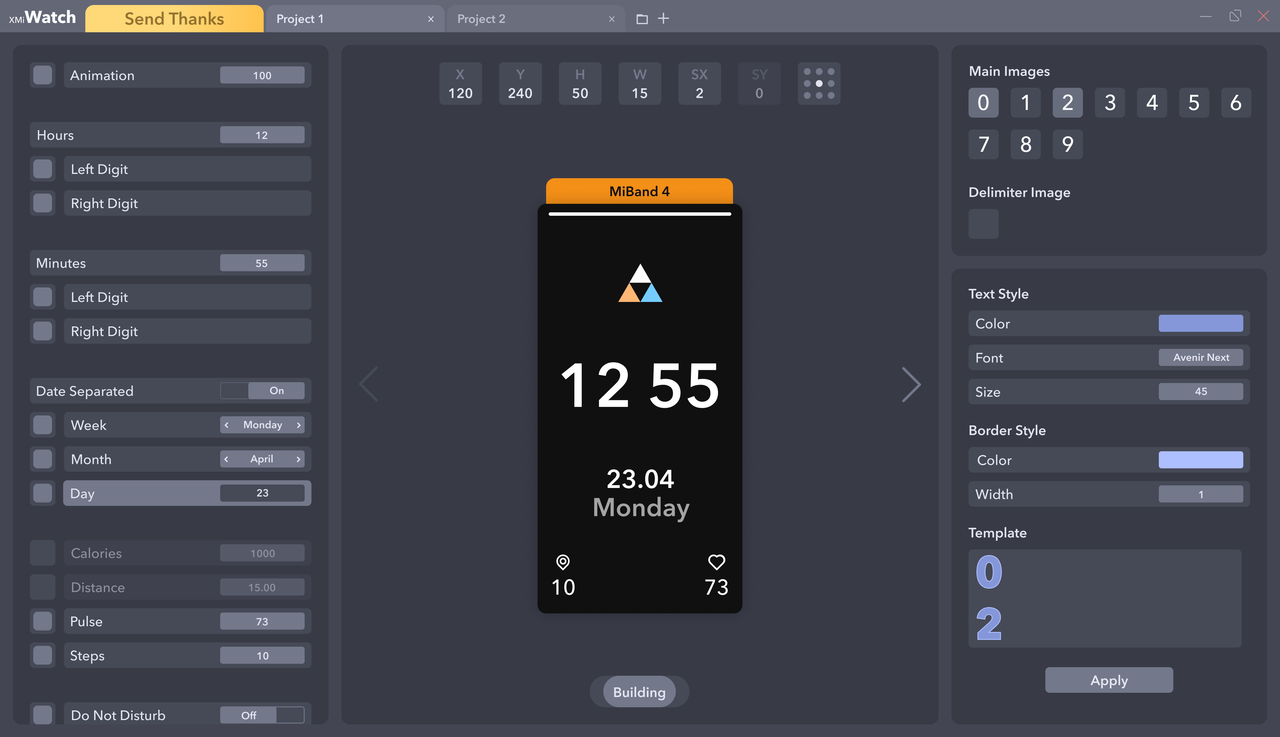
  • You can easily open, edit and build:
    • Json - folder must contains 0000.png → screen sized
    • Bin
  • On / off watch elements (even not include)
  • Copy or import images from opened projects or files
  • Watchfaces converting
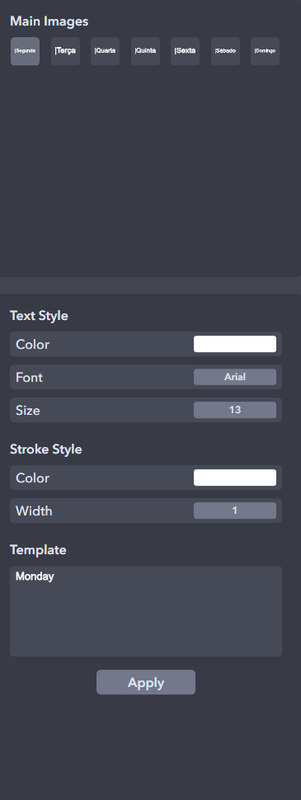
  • Text styling
  • Dev: Presets
🖼️ Screenshots
图片


Watch series
  • Mi Band 4
  • Mi Band 5
  • Mi Band 6


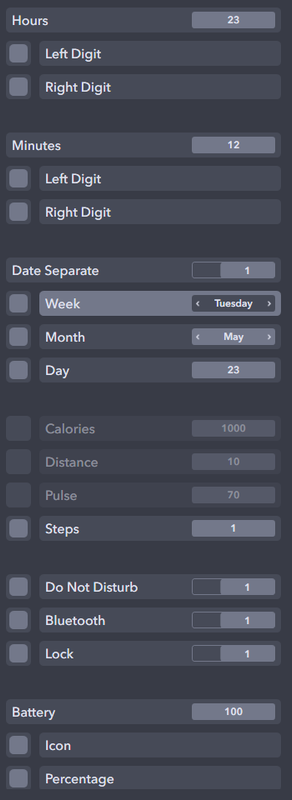
Elements support
  • Time
    • Hours
    • Minutes
  • Date
    • Inline / Separate
    • Week
    • Month
    • Day
  • Activity
    • Calories
    • Distance
    • Pulse
    • Steps
  • Widgets
    • Do Not Disturb
    • Bluetooth
    • Lock
    • Battery
  • Other
    • Animation
    • Background


Controls
  • Change value - ↑↓ keys
  • Move - WASD or ↑←↓→ keys and mouse
  • Unselect - Escape key
  • Unvisible - Delete key
  • Selecting in Previewer or Elements bar


Previewer - render on change
  • Previewer limits
    • H, Y (+-Screen height)
    • W, X (+-Screen width)
    • SX (+-20)
  • Render limits
    • Activity (99999)
    • Real time
    • Real date
    • Battery (100)


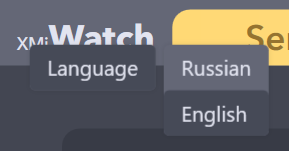
Languages
  • Russian
  • English (default)
* Right button click on opened app name
图片

Re: [3.1] XMI Watch - Mi Band 4 | 5 (Designer + Converter)

发表于 : 20 1月 2021, 10:57
jefoce
Sanshexx 写了: 20 1月 2021, 01:42
Based on your situation, log from archive

Re: [3.1] XMI Watch - Mi Band 4 | 5 (Designer + Converter)

发表于 : 20 1月 2021, 18:14
Sanshexx
jefoce 写了: 20 1月 2021, 10:57
Sanshexx 写了: 20 1月 2021, 01:42
Based on your situation, log from archive
how?

Re: [3.1] XMI Watch - Mi Band 4 | 5 (Designer + Converter)

发表于 : 31 1月 2021, 23:10
Sanshexx
jefoce 写了: 20 1月 2021, 10:57
Sanshexx 写了: 20 1月 2021, 01:42
Based on your situation, log from archive
how?

Re: [3.1] XMI Watch - Mi Band 4 | 5 (Designer + Converter)

发表于 : 01 2月 2021, 15:04
jefoce
Sanshexx 写了: 31 1月 2021, 23:10
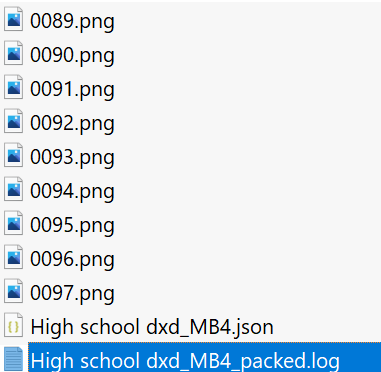
Log from MiBandWFTool after packing your WF:
Screenshot
]图片

Re: [3.1] XMI Watch - Mi Band 4 | 5 (Designer + Converter)

发表于 : 12 2月 2021, 19:43
Sanshexx
jefoce 写了: 01 2月 2021, 15:04
Sanshexx 写了: 31 1月 2021, 23:10
Log from MiBandWFTool after packing your WF:
Screenshot
]图片
and what do i do?

Re: [3.1] XMI Watch - Mi Band 4 | 5 (Designer + Converter)

发表于 : 12 2月 2021, 21:04
jefoce
Sanshexx 写了: 12 2月 2021, 19:43
Maybe change photos for elements

Re: [3.1] XMI Watch - Mi Band 4 | 5 (Designer + Converter)

发表于 : 13 2月 2021, 00:06
Sanshexx
jefoce 写了: 12 2月 2021, 21:04
Sanshexx 写了: 12 2月 2021, 19:43
Maybe change photos for elements
I do not understand

Re: [3.1] XMI Watch - Mi Band 4 | 5 (Designer + Converter)

发表于 : 26 2月 2021, 14:58
vitorprado
How to add a gif? Thanks!

Re: [3.1] XMI Watch - Mi Band 4 | 5 (Designer + Converter)

发表于 : 14 3月 2021, 16:07
ercantarum
Is there a YouTube link explaining how to use the program. I understand better by seeing.

Re: [3.1] XMI Watch - Mi Band 4 | 5 (Designer + Converter)

发表于 : 24 3月 2021, 03:38
zy0
I can't download it. Can you upload other links?Thanks!

Re: [3.1] XMI Watch - Mi Band 4 | 5 (Designer + Converter)

发表于 : 05 4月 2021, 03:59
SlenderGz
An improvement idea for the app: keep the original status of items such as size, writing and color. To be able to change the color of all items together because one at a time is difficult as you have to edit the entire color, size and writing board whenever you want to change something.
图片

图片

Re: [3.1] XMI Watch - Mi Band 4 | 5 (Designer + Converter)

发表于 : 07 4月 2021, 09:03
joelian
hi, i had made some watch faces before, and now i am curious about how the tool makes json & images become a .bin file. Would u like to opensource or show me how it works? thx very much!

Re: [3.1] XMI Watch - Mi Band 4 | 5 (Designer + Converter)

发表于 : 09 4月 2021, 17:54
jefoce
vitorprado 写了: 26 2月 2021, 14:58
You can't yet

Re: [3.1] XMI Watch - Mi Band 4 | 5 (Designer + Converter)

发表于 : 09 4月 2021, 17:55
jefoce
SlenderGz 写了: 05 4月 2021, 03:59
App have it, multi selecting with ctrl or shift and copy all/some images to another watch item with style saving

Re: [3.1] XMI Watch - Mi Band 4 | 5 (Designer + Converter)

发表于 : 09 4月 2021, 17:57
jefoce
joelian 写了: 07 4月 2021, 09:03
No opensource, it's using temp directory with lvpokka builder in background

Re: XMI Watch - Mi Band 4 | 5 (WF Designer + Converter)

发表于 : 17 5月 2021, 15:12
jefoce
Belens 写了: 04 12月 2020, 00:19
This is awesome! Will it support animations in the future? Great Job!
Added :D

Re: XMI Watch - Mi Band 4 | 5 (WF Designer + Converter)

发表于 : 19 5月 2021, 17:43
cygmon0
jefoce 写了: 17 5月 2021, 15:12
Belens 写了: 04 12月 2020, 00:19
This is awesome! Will it support animations in the future? Great Job!
Added :D

Perfecto :D

Re: [3.2.0.1] XMI Watch - Mi Band 4 | 5 (Designer + Converter)

发表于 : 13 6月 2021, 17:08
jefoce
Docs for app on site available✅

Re: [3.2.0.1] XMI Watch - Mi Band 4 | 5 (Designer + Converter)

发表于 : 31 7月 2021, 17:35
Zan1456
How to add background?

Re: [3.2.0.1] XMI Watch - Mi Band 4 | 5 (Designer + Converter)

发表于 : 02 8月 2021, 12:53
KrakeCZ
Please add support MB6

-

发表于 : 31 8月 2021, 00:25
Aaronfet
I am new to this forum and was wondering if you could tell me what the HSBI Converter is and how you use it. I didn't see anything else on this forum. Thank you.

GWF

Re: [3.2.0.1] XMI Watch - Mi Band 4 | 5 (Designer + Converter)

发表于 : 06 9月 2021, 03:23
mi4face
Seems like i took an app which nobody discussing anymore. LOL. I also donated with a hope this app still has some support. The animations are added but not working properly.

Re: [3.2.0.1] XMI Watch - Mi Band 4 | 5 (Designer + Converter)

发表于 : 06 9月 2021, 03:25
mi4face
By the way i expected to add background options inside the app like we have animation toggle. Please add it.

Re: [3.2.0.1] XMI Watch - Mi Band 4 | 5 (Designer + Converter)

发表于 : 06 9月 2021, 03:28
mi4face
Zan1456 写了: 31 7月 2021, 17:35
How to add background?
There is no option i found. So just open a .json or .bin file from a watchface which have background image. Then if you click on the background image you can see the option to import at the right.

Re: [3.2.0.1] XMI Watch - Mi Band 4 | 5 (Designer + Converter)

发表于 : 19 9月 2021, 11:40
jefoce
mi4face 写了: 06 9月 2021, 03:28
Thanks for your support :)
Added background option to the left side